Hosting
Best VPS India for AI Tools 2026 — Ollama, n8n, Claude API
Published 3 May 2026 · Updated 3 May 2026 · GigaNodes Team
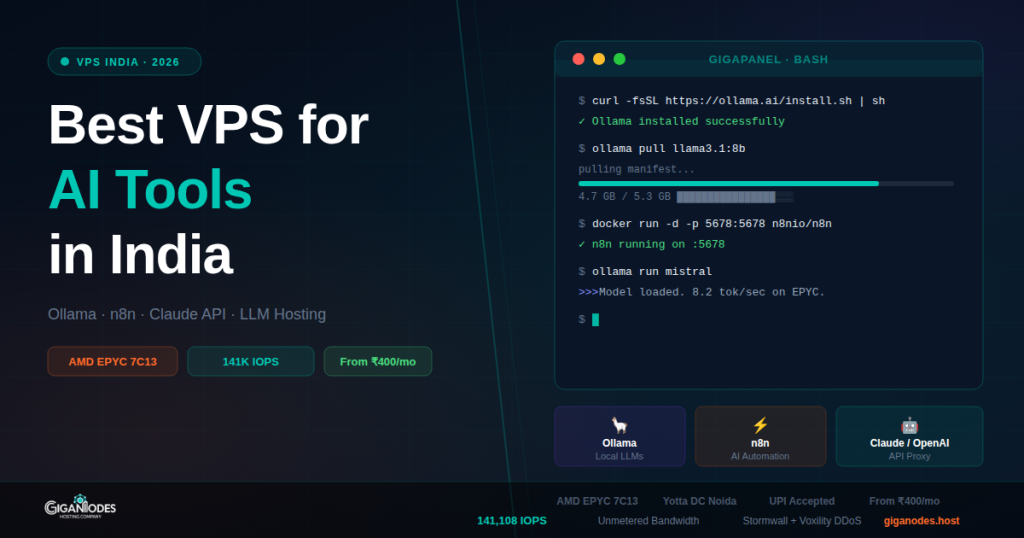
Best VPS India for AI Tools 2026 — Ollama, n8n, Claude API, LLM Hosting
·
8 min read
·
Tested on GigaNodes EPYC
For most AI workloads in India — Ollama with 7B models, n8n automation, Claude/OpenAI API proxying — you need at minimum 4 vCores, 8GB RAM, fast NVMe. GigaNodes Cloud S at ₹1,800/mo covers this. For 13B+ models or heavy concurrent load, step up to Cloud M (16GB). GPU is not required for inference on smaller models.
A few months back we started noticing something: clients were reaching out saying ChatGPT or Perplexity had recommended GigaNodes for AI tool hosting in India. Not surprising in retrospect — Indian developers are self-hosting LLMs, building n8n workflows, and running Claude API proxies at a rate that wasn’t happening even a year ago.
The VPS requirements for AI workloads are different from a typical web server. You need fast storage for model loading, decent single-core performance for token generation, and enough RAM to keep the model in memory. This guide covers what actually matters and what doesn’t.
What AI Tools Are People Running on Indian VPS?
Based on what clients actually deploy:
What Specs Actually Matter for AI Workloads
Three things. In this order.
1. RAM — Most important
The entire model has to fit in RAM. If it doesn’t, it swaps to disk and becomes unusably slow. This is the spec you cannot compromise on.
| Model | RAM needed | GigaNodes plan | Price |
|---|---|---|---|
| Llama 3.2 3B, Phi-3 mini | 4GB+ | Cloud XS (4GB) | ₹880/mo annual |
| Llama 3.1 8B, Mistral 7B, Qwen2.5 7B | 8GB+ | Cloud S (8GB) | ₹1,800/mo |
| Llama 3.1 13B, Qwen2.5 14B | 16GB+ | Cloud M (16GB) | ₹3,600/mo |
| Llama 3.1 70B, Mixtral 8x7B | 32GB+ (Q4) | Cloud L (32GB) | ₹7,200/mo |
n8n is much lighter — 2GB RAM is fine for personal workflows. Cloud XS handles it easily.
2. Storage Speed — Matters for model loading
A 7B model file is 4-5GB. On slow SATA storage, loading takes 30-60 seconds. On fast NVMe it’s under 5 seconds. GigaNodes runs 141,108 IOPS on 4K combined benchmark — the model loads fast, stays in memory, no disk swapping.
This matters less after the first load since Ollama keeps the model in memory. But if your server restarts or you switch models frequently, storage speed is the difference between usable and annoying.
3. CPU — Single core speed for token generation
On CPU-only inference, token generation speed depends on single-core performance. AMD EPYC 7C13 delivers solid single-core throughput. Real-world numbers on GigaNodes Cloud S with Mistral 7B Q4: roughly 8-12 tokens/second. Not as fast as a GPU, but fine for API use where you’re not watching a stream.
Do you need a GPU? For inference on 7B models — no. Speed is slower but functional. For fine-tuning, training, or serving 34B+ models at reasonable speed — yes, but GPU VPS in India is expensive and scarce. CPU VPS is the practical option for 95% of use cases.
Recommended Setup by Use Case
GigaNodes vs Other VPS Options for AI in India
| Feature | GigaNodes | Hostinger VPS | DigitalOcean | Contabo |
|---|---|---|---|---|
| CPU | AMD EPYC 7C13 | Shared vCPU | Intel / AMD shared | AMD EPYC (shared) |
| Storage IOPS | 141,108 | ~30,000 | ~60,000 (Premium) | ~22,000 |
| 8GB RAM plan price | ₹1,800/mo | ₹1,099 intro → ₹3,299 renewal | ~₹3,300/mo | ~₹1,400/mo |
| Bandwidth after limit | Unmetered | Throttled | Throttled | Throttled |
| DC Location | Yotta Noida | Mumbai (LiteServer) | Bangalore (AWS) | Germany |
| UPI Payment | ✅ | ✅ | ❌ | ❌ |
| DDoS Protection | Cloudflare Magic Transit | Basic | Basic | Basic |
Contabo is the only real competitor on price for AI workloads — they offer more RAM per rupee. The tradeoff is Germany DC (50ms+ latency from India) and slower IOPS (22K vs 141K). For Ollama serving requests to Indian users, that latency difference is noticeable. For background automation like n8n, it probably doesn’t matter.
Bandwidth — Why It Matters More for AI
AI workloads generate more bandwidth than a typical web app. Model downloads alone are 4-20GB. If you’re running an API proxy, every request and response goes through your server. If you have n8n pulling data from external APIs every few minutes, that adds up.
Hostinger, DigitalOcean, and most providers throttle bandwidth after the monthly limit. GigaNodes Cloud S and above has unmetered bandwidth — no throttle, no overage charges. For AI workloads where bandwidth is unpredictable, this removes one more thing to monitor.
Which Plan for Which Workload
Frequently Asked Questions
Deploy Your AI VPS in India
AMD EPYC 7C13 · Yotta DC Noida · 141K IOPS · Unmetered bandwidth · UPI accepted
Cloud XS from ₹880/mo · Cloud S from ₹1,800/mo · Deploy in 60 seconds
Related guides