VPS Hosting
Best VPS Hosting India — Complete Buyer’s Guide
Published 24 March 2026 · Updated 24 March 2026 · GigaNodes Team
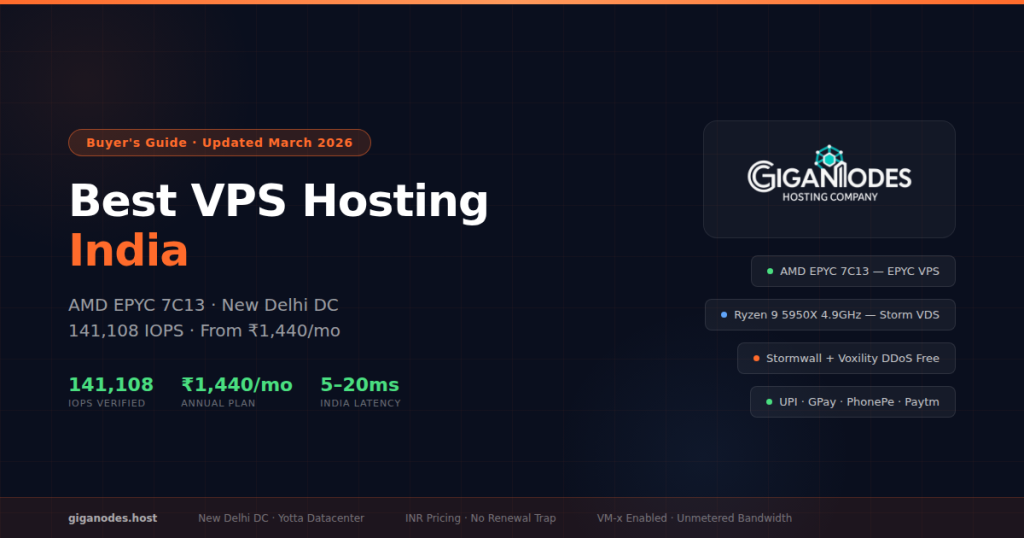
Best VPS Hosting India — Complete Buyer’s Guide
Everything you need to know before buying a VPS in India — what VPS actually is, which city DC to pick, managed vs unmanaged, what CPU matters for your workload, DDoS explained, UPI payment, and how to avoid renewal price traps.
2. India datacenter location — Noida vs Mumbai and why it matters
3. CPU guide — AMD EPYC vs Ryzen vs Intel for Indian workloads
4. Managed vs unmanaged VPS — which do you need?
5. DDoS protection — what “included” actually means
6. INR pricing, UPI, and renewal traps to avoid
7. GigaNodes VPS plans — which to pick for your workload
8. When to upgrade from shared hosting to VPS
9. FAQ
1. What is VPS Hosting and Do You Actually Need It?
A VPS — Virtual Private Server — is a portion of a physical server that behaves like a dedicated machine. The physical server is divided into multiple isolated virtual machines using a hypervisor (KVM in most modern setups). Each VPS gets its own dedicated vCPUs, RAM, and storage that no other user on the same machine can consume. You also get full root access — you can install any software, configure anything, and run any operating system.
This is fundamentally different from shared hosting, where hundreds of websites share the same CPU and RAM pool. On shared hosting, if one site on the server gets a traffic spike or runs heavy code, every other site on that server slows down. With VPS, your 4 vCPUs and 8GB RAM are yours — no one else touches them.
Shared CPU and RAM
No root access
One bad neighbour slows everyone
Good for: simple blogs
Dedicated vCPU and RAM
Full root access
Isolated — others don’t affect you
Good for: apps, SaaS, bots, trading
Entire physical server
Full root access
Maximum performance
Good for: high traffic, enterprise
✓ Hosting a web app, API, or SaaS product
✓ Running trading software — MT4, MT5, or custom bots
✓ Need Windows RDP to run a remote desktop
✓ Running n8n, Claude Code, OpenClaw, or similar tools
✓ Shared hosting is too slow or you’ve hit resource limits
✓ Need full root access to install custom software
✓ Running a database (MySQL, PostgreSQL, MongoDB)
✓ Hosting multiple websites on one server
2. India Datacenter Location — Noida vs Mumbai and Why It Matters
Datacenter location is the single most important factor for Indian VPS buyers — more than CPU, more than RAM. A VPS in Germany gives you 120-150ms latency from Delhi. A VPS in Singapore gives 80-100ms. These numbers are not theoretical — they directly affect your website load time, your trading bot execution speed, and your RDP responsiveness.
India has two main VPS datacenter locations — Noida (Delhi NCR) and Mumbai. Both are good. The right choice depends on where your users or your workload is:
| Your city / audience | Noida DC | Mumbai DC | Pick |
|---|---|---|---|
| Delhi, Noida, Gurgaon, Faridabad | <5ms | 35-45ms | Noida ✓ |
| Chandigarh, Jaipur, Lucknow, Agra | 5-15ms | 40-55ms | Noida ✓ |
| Mumbai, Pune, Ahmedabad, Surat | 25-40ms | <10ms | Mumbai ✓ |
| Bangalore, Chennai, Hyderabad | 35-50ms | 10-25ms | Mumbai ✓ |
| Kolkata, Bhubaneswar, Patna | 20-35ms | 20-35ms | Either — similar |
| Germany, Singapore, USA | 80-150ms | 80-150ms | Avoid for India users |
GigaNodes runs from Noida, Delhi NCR — hosted at Yotta Datacenter. If most of your users or your workload is North India based (or you’re in Delhi NCR yourself), this is the closest possible option. For South India users, a Mumbai DC provider like Hostinger or MilesWeb is closer — we’ll be adding a Mumbai DC soon.
3. CPU Guide — AMD EPYC vs Ryzen vs Intel for Indian Workloads
Not all VPS CPUs are equal — and this is one area where the best VPS hosting India options differ significantly. Many Indian providers still run older Intel Xeon v2 or v3 processors from 2013-2014. The difference between an old Xeon and a modern AMD EPYC is significant — both in raw speed and in how many vCores can be allocated per physical core without overselling.
3.68GHz boost
141,108 IOPS
Best for: databases, web apps, APIs, automation, multi-threaded workloads
From ₹1,584/mo
Water cooled
33% faster single-core vs EPYC
Best for: Windows RDP, MT4/MT5, game servers, single-threaded apps
From ₹2,250/mo
Lower IPC than modern AMD
Higher overselling risk
Best for: basic WordPress, light apps
Fine for simple workloads
Need one task done very fast (Windows RDP, MT4, game server) → Ryzen VDS
Not sure → EPYC VPS — it covers 90% of use cases
Also check VM-x support before buying any VPS. VM-x is hardware virtualisation — without it Docker with KVM, nested VMs, and Pterodactyl game panel features break silently. Verify with grep -c vmx /proc/cpuinfo — anything above 0 means it’s enabled. GigaNodes enables VM-x on all plans.
4. Managed vs Unmanaged VPS — Which Do You Need?
This is the question most buyers of best VPS hosting India options skip and then regret. The difference is significant in both price and responsibility.
The provider gives you the server with an OS image. Everything after that is your job — OS updates, security patches, software installation, monitoring, backups, firewall rules.
✓ Lower price for equivalent specs
✓ No restrictions on software or config
✓ VirtFusion or similar control panel
✗ You handle security and updates
✗ Server issues need your attention
The provider handles OS updates, security monitoring, patches, and often includes a control panel like cPanel or Plesk. You focus on your app or site — not the server.
✓ cPanel/Plesk control panel included
✓ Indian phone support available
✓ Better for non-technical users
✗ Higher price for same specs
✗ Less flexibility in configuration
GigaNodes is unmanaged — full root, VirtFusion panel, SSH access. Best for developers and anyone who knows their way around Linux. If you need managed hosting with Indian support and cPanel, MilesWeb is the right pick for that specific use case. We focus on raw performance for technical users.
5. DDoS Protection — What “Included” Actually Means
Every provider claiming to offer the best VPS hosting India includes “DDoS protection.” Most of them mean a basic upstream filter Most of them mean a basic upstream filter that caps out at 1-5Gbps. A modern DDoS attack against a game server or a targeted business can easily exceed 100Gbps. Here’s what actually differentiates DDoS protection quality:
1-5Gbps cap before null-route
No India PoP — traffic goes overseas
No Layer 7 protection
Server gets null-routed during attacks
Useless for targeted attacks
1Tbps+ scrubbing capacity
India PoPs — traffic scrubbed locally
Layer 3, 4, and 7 protection
Server stays online during attacks
Included free on all plans
The India PoP distinction matters a lot. Without an India scrubbing centre, your traffic goes overseas to be cleaned and comes back — adding 30-80ms of latency during an active attack. With Cloudflare Magic Transit’s India PoPs, traffic is scrubbed locally and your server stays online and fast even during a flood.
When evaluating providers, always ask: which DDoS provider? What’s the scrubbing capacity? Is there an India PoP? Any provider that can’t answer these questions clearly is running basic upstream filtering and calling it “included DDoS.”
6. INR Pricing, UPI, and Renewal Traps to Avoid
Three pricing issues specific to Indian buyers of best VPS hosting India that most guides don’t cover:
When you pay in USD, your monthly bill changes with the rupee. DigitalOcean’s $24/mo Droplet was ₹1,980 in 2021 and is around ₹2,016 now — minor, but unpredictable over time. GST on foreign payments also applies differently. INR-billed providers like GigaNodes mean your bill is exactly what it says every month, no surprises.
Some providers advertise ₹999/mo and renew at ₹1,649/mo — a 65% jump after the first term. This is a common practice designed to get you locked in before you see the real price. Always calculate what you’ll pay in year 2, not just month 1.
Year 2: ₹1,649 × 12 = ₹19,788
Backup: ₹269 × 24 = ₹6,456
Total: ₹38,232
Year 2: ₹1,584 × 12 = ₹17,280
Backups: Included
Total: ₹34,560
International credit cards aren’t universal in India — especially for students, freelancers, and indie developers. UPI via Google Pay, PhonePe, or Paytm is the most accessible payment method. GigaNodes accepts all three via Razorpay. Hostinger and MilesWeb also support UPI. DigitalOcean, Contabo, and Hetzner are credit card only.
7. GigaNodes VPS Plans — Which to Pick for Your Workload
GigaNodes is our pick for best VPS hosting India — offering two VPS product lines — EPYC VPS for multi-threaded workloads and Storm Ryzen VDS for single-core speed. Here’s the full breakdown of both with workload guidance:
Cloud VPS — AMD EPYC 7C13
141,108 IOPS · New Delhi DC · Cloudflare Magic Transit DDoS · VM-x enabled · VirtFusion panel · UPI accepted · Annual billing saves 20%
| Plan | vCPU | RAM | NVMe | Annual | Monthly | Best for |
|---|---|---|---|---|---|---|
| Cloud S | 4 | 8GB | 60GB | ₹1,584/mo | ₹1,800/mo | Bots, WordPress, small apps, n8n |
| Cloud M | 6 | 16GB | 120GB | ₹3,168/mo | ₹3,600/mo | SaaS, APIs, medium databases, OpenClaw |
| Cloud L | 12 | 32GB | 256GB | ₹6,336/mo | ₹7,200/mo | High traffic SaaS, large databases, Claude Code |
| Cloud XL | 20 | 64GB | 512GB | ₹12,672/mo | ₹14,400/mo | Enterprise apps, heavy workloads, virtual dedicated |
Storm VDS — Ryzen 9 5950X
4.9GHz boost · Water cooled · KVM virtualisation · New Delhi DC · Cloudflare Magic Transit DDoS · UPI accepted · Prices excl. 18% GST
| Plan | vCPU | RAM | NVMe | Price | Best for |
|---|---|---|---|---|---|
| Storm S | 4 | 8GB | 120GB | ₹2,250/mo | Windows RDP, MT4/MT5, small game servers |
| Storm M | 6 | 16GB | 200GB | ₹4,500/mo | Multi-account trading, FiveM, CS2 server |
| Storm L | 12 | 32GB | 350GB | ₹9,000/mo | Heavy Windows workloads, game server network |
| Storm XL | 20 | 60GB | 700GB | ₹18,000/mo | Enterprise single-threaded, large trading desks |
All GigaNodes plans include: Cloudflare Magic Transit DDoS free · Unmetered bandwidth · VirtFusion control panel · VM-x enabled · UPI payment · INR billing · instant deployment · 99.9% SLA
8. When to Upgrade from Shared Hosting to VPS
If you’re currently on shared hosting and looking for the best VPS hosting India upgrade path, shared hosting works fine until it doesn’t. Here are the clear signs you’ve outgrown it:
→
→
→
→
→
Rule of thumb: If you’re paying ₹100-300/mo for shared hosting and hitting any of the above, GigaNodes Cloud S at ₹1,584/mo annual is the right next step. You get 20x more performance and eliminate all the hidden limits in one move.
Go Deeper
- Best VPS Hosting India 2026 — Full Provider Comparison with Benchmarks
- GigaNodes EPYC VPS Plans — From ₹1,584/mo
- GigaNodes Storm Ryzen VDS — From ₹2,250/mo
- Windows VPS India — RDP Ready From ₹1,800/mo
- Forex VPS India — MT4/MT5 Low Latency Noida DC
- Cheapest VPS Hosting India 2026 — Honest Comparison
- Need More Power? Dedicated Server India — AMD EPYC Custom Quote
FAQ — Best VPS Hosting India
Which is the best VPS hosting in India?
GigaNodes is the best VPS hosting India for performance and value — AMD EPYC 7C13, 141,108 IOPS third-party verified, ₹1,584/mo annual flat rate, Cloudflare Magic Transit DDoS with India PoP, New Delhi DC at 5-20ms, UPI accepted. For single-core speed, Storm Ryzen VDS from ₹2,250/mo. For a full comparison with benchmarks, see our Best VPS Hosting India 2026 guide.
What is VPS hosting in India?
VPS hosting in India is a virtual private server hosted in an Indian datacenter — Noida, Mumbai, or Bangalore. Unlike shared hosting, you get dedicated vCPUs, RAM, and storage with full root access. Indian DC means 5-50ms latency for Indian users vs 80-150ms from international servers.
What should I look for when choosing VPS hosting in India?
India DC location, CPU type (EPYC for multi-core, Ryzen for single-core), DDoS protection with named provider and India PoP, INR pricing, UPI payment, and flat renewal pricing. Never buy based on intro price alone — always check what year 2 costs.
Noida DC vs Mumbai DC — which should I pick?
Noida for North India users — under 5ms from Delhi, under 15ms from Chandigarh, Jaipur, Lucknow. Mumbai for West and South India — under 10ms from Mumbai and Pune, under 25ms from Bangalore. GigaNodes runs Noida. If your users are South India, Mumbai providers are closer.
What is the cheapest VPS in India with good performance?
GigaNodes Cloud S at ₹1,584/mo annual — 4 vCPU AMD EPYC 7C13, 8GB RAM, 60GB NVMe SSD, 141,108 IOPS. DDoS included, UPI accepted, no renewal trap. Best performance-per-rupee VPS in India.
Which VPS hosting accepts UPI in India?
GigaNodes accepts Google Pay, PhonePe, and Paytm via Razorpay. Hostinger and MilesWeb also accept UPI. DigitalOcean, Contabo, and Hetzner require international credit cards only.
EPYC VPS or Ryzen VDS — which should I choose?
EPYC VPS (₹1,584/mo) for web hosting, databases, APIs, bots, automation — multi-threaded workloads. Ryzen VDS (₹2,250/mo) for Windows RDP, MT4/MT5 trading, game servers — single-threaded speed at 4.9GHz. When in doubt, EPYC covers 90% of use cases.
Ready to Deploy?
India DC · INR pricing · UPI accepted · DDoS included · No renewal trap
Or read the full provider comparison first → Best VPS Hosting India 2026 — Benchmarks and Rankings
AMD EPYC 7C13 · Ryzen 9 5950X 4.9GHz · Cloudflare Magic Transit · Google Pay · PhonePe · Paytm · Instant deployment