Hosting
Best VPS for Algo Trading India — Ryzen 9 9950X, Low Latency, From ₹2,500/mo
Published 18 July 2026 · Updated 23 July 2026 · GigaNodes Team
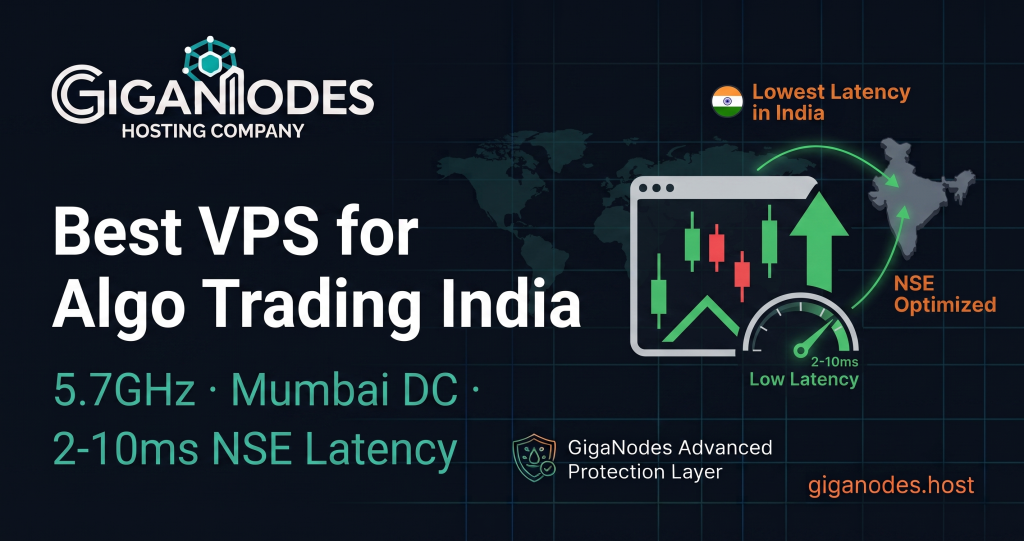
Best VPS for Algo Trading India — Ryzen 9 9950X, Low Latency, From ₹2,500/mo
·
July 17, 2026
·
11 min read
The best VPS for algo trading in India is GigaNodes — Ryzen 9 9950X at 5.7GHz for fast order execution, Yotta DC Mumbai for low latency to NSE/BSE brokers, Cloudflare Magic Transit DDoS protection to keep bots online during attacks. From ₹2,500/mo. UPI accepted. GST invoice.
For algo trading, three things matter: clock speed (faster EA/bot execution), data center location (lower latency to broker API), and DDoS protection (bots stay online during attacks). GigaNodes Storm VDS 9950X optimises all three.
Algorithmic trading in India has grown significantly. From Zerodha Streak users running basic condition-based strategies to quant traders running Python bots via broker APIs, to Forex traders running MT4 expert advisors 24/7 — the one thing all of them share is the need for a reliable, low-latency VPS that stays online no matter what.
A trading bot running on your laptop shuts down when the laptop sleeps. A trading bot running on a slow VPS in Singapore misses signals because of 80ms round-trip latency to the Indian broker API. A trading bot running on a VPS with no DDoS protection goes offline when someone floods it with traffic during a volatile market session.
This guide covers the best VPS for algo trading India — what to look for, which specs matter, and which plans to choose for different trading setups.
Explore more use cases in our complete guide to VPS Hosting in India.
What Makes a Good Algo Trading VPS in India
1. Clock Speed — Faster Execution
MT4 expert advisors, Python trading bots, and most algorithmic strategies run their core logic on a single thread. The faster that single thread executes, the faster your strategy processes incoming tick data, evaluates entry/exit conditions, and places orders.
Ryzen 9 9950X at 5.7GHz processes single-threaded workloads 30-35% faster than Ryzen 9 5950X and significantly faster than AMD EPYC. For high-frequency strategies where milliseconds between signal detection and order placement matter, this is a real advantage. For lower-frequency strategies (daily/hourly candles), the difference is less critical but still visible in system responsiveness.
2. Data Center Location — Latency to Broker
NSE and BSE colocation facilities are in Mumbai. Most Indian broker APIs — Zerodha, AngelOne, Upstox, ICICI Direct — route through Mumbai servers. If your trading VPS is in Mumbai, your API calls have 1-5ms round-trip latency. If your VPS is in Singapore, that becomes 60-80ms. If it’s in Frankfurt, 150ms+.
For Forex traders using MT4/MT5, broker servers are typically in New York, London, or Singapore. If your broker is in Singapore, a Mumbai VPS gives 40-60ms to the broker — still much better than running MT4 from home on Jio with 120ms+ latency and unstable connection.
3. DDoS Protection — Bots Must Stay Online
This is the most underappreciated factor in choosing a trading VPS. Algo traders with active positions during market hours are high-value DDoS targets. A competitor, a bad actor, or even a random botnet can flood your server IP with traffic. On a VPS without DDoS protection, your server goes offline. Your trading bot stops. Open positions sit unmanaged.
GigaNodes runs Cloudflare Magic Transit — traffic is scrubbed at the network routing layer before it reaches the data center. Attack traffic is dropped. Legitimate traffic continues to flow. Your trading bot stays online during attacks.
4. Uptime — 24/7 During Market Hours
NSE market hours are 9:15 AM to 3:30 PM IST on weekdays. Forex market is 24/5. Your trading VPS needs to be online continuously. GigaNodes guarantees 99.9% uptime SLA. The combination of DDoS protection and reliable hardware at Yotta DC (one of India’s most reliable data centers) ensures maximum uptime.
Best VPS for Algo Trading India — Provider Comparison
| Provider | CPU | Mumbai DC | DDoS | UPI | Price |
|---|---|---|---|---|---|
| GigaNodes 9950X ★ | Ryzen 9 9950X | ✅ Yotta Mumbai | Magic Transit | ✅ | ₹2,500/mo |
| GigaNodes EPYC | EPYC 7C13 | ⚠️ Yotta Noida | Magic Transit | ✅ | ₹440/mo |
| Vultr Mumbai | AMD EPYC | ✅ Mumbai | Basic | ❌ | ~₹840/mo |
| DigitalOcean Bangalore | AMD EPYC | ❌ Bangalore | Basic | ❌ | ~₹840/mo |
| Contabo Singapore | AMD EPYC | ❌ Singapore | None | ❌ | ~₹840/mo |
| AWS Mumbai | Intel/AMD | ✅ Mumbai | Shield Basic | ❌ | ₹3,000-8,000/mo |
Ryzen 9 9950X (5.7GHz) for fastest EA/bot execution · Yotta DC Mumbai for lowest latency to Indian brokers · Cloudflare Magic Transit to keep bots online during attacks · UPI accepted · GST invoice · From ₹2,500/mo →
Which Plan for Which Trading Setup
Best for: 1-3 MT4/MT5 accounts with basic EAs, single Python bot, Zerodha Streak, single Forex pair strategy.
POPULAR
Best for: 5-10 MT4 accounts, multiple Python strategies, MT4 + MT5 simultaneously, Zerodha + AngelOne APIs together.
Best for: Large quant setups, 10+ MT4 accounts, multiple Python bots with ML models, database-heavy strategies.
Best for: Professional quant setups, large tick data databases, real-time ML inference, multi-strategy multi-broker.
MT4/MT5 Algo Trading Setup on GigaNodes VPS
Setting up MT4 or MT5 on a Windows VPS for 24/7 algo trading takes about 15 minutes.
Step 1 — Order Storm VDS with Windows
Order Storm VDS 9950X, select Windows Server 2022 as OS, choose Mumbai location. Server deploys in 60 seconds. You receive RDP credentials by email.
Step 2 — Connect via RDP and Install MT4/MT5
Win + R → mstsc → enter your VPS IP# Download MT4/MT5 from your broker website
# Install normally — same as local machine
# Log in with broker credentials
Step 3 — Disable Sleep and Screen Lock
powercfg /change standby-timeout-ac 0
powercfg /change monitor-timeout-ac 0# Disable screen lock
# Settings → Accounts → Sign-in options → set “Require sign-in” to Never
Step 4 — Install Your EAs
Copy your EA .ex4 or .ex5 files to MT4/MT5 Experts folder. In MT4: File → Open Data Folder → MQL4 → Experts. Drag EA to chart. Set parameters. Enable “Allow live trading” and “Allow DLL imports” if required by your EA.
Step 5 — Set Up Monitoring
Install a simple monitoring tool so you get notified if MT4 disconnects or the VPS goes offline. Free options: MT4 built-in email alerts, Telegram bot via MQL4, or a simple Python ping script running in the background.
Python Algo Trading Setup on GigaNodes VPS
Python trading bots — using Zerodha Kite API, AngelOne SmartAPI, Upstox API, or Dhan API — run better on Linux. GigaNodes Cloud VPS (EPYC, from ₹440/mo) handles Python bots for Indian equities. For Forex Python bots where MT5 Python integration is needed, Windows Server is required.
Linux Setup for Indian Equity Algo Trading
apt update && apt install python3 python3-pip python3-venv -y# Create virtual environment
python3 -m venv trading_env
source trading_env/bin/activate# Install common trading libraries
pip install kiteconnect pandas numpy ta-lib requests schedule# Run bot with pm2 for auto-restart
npm install -g pm2
pm2 start trading_bot.py –interpreter python3 –name “trading-bot”
pm2 startup && pm2 save
Keep Bot Running After SSH Disconnect
pm2 start trading_bot.py –interpreter python3# Option 2 — screen
screen -S trading
python3 trading_bot.py
# Ctrl+A then D to detach# Option 3 — systemd service (most reliable)
# Create /etc/systemd/system/trading-bot.service
# [Unit]
# Description=Trading Bot
# After=network.target
# [Service]
# ExecStart=/path/to/trading_env/bin/python /path/to/trading_bot.py
# Restart=always
# [Install]
# WantedBy=multi-user.target
systemctl enable trading-bot && systemctl start trading-bot
Latency Test — GigaNodes Mumbai to Indian Brokers
These are approximate round-trip times from Yotta DC Mumbai to major Indian and Forex broker APIs. Lower is better — these represent the minimum latency your algo trading strategy experiences per API call.
| Broker / Exchange | Server Location | From GigaNodes Mumbai | From Singapore VPS |
|---|---|---|---|
| NSE Colocation | Mumbai | 1-5ms | 60-80ms |
| Zerodha Kite API | Mumbai | 2-8ms | 65-85ms |
| AngelOne SmartAPI | Mumbai | 2-8ms | 65-85ms |
| Upstox API | Mumbai | 2-10ms | 65-90ms |
| IC Markets (Forex) | Sydney/Singapore | 40-60ms | 10-20ms |
| Pepperstone (Forex) | London/NY4 | 100-130ms | 120-150ms |
For Indian equity algo trading (Zerodha, AngelOne, Upstox, Dhan) — Mumbai VPS gives 2-10ms latency. This is dramatically better than running from a home connection (20-80ms) or a Singapore VPS (65-90ms).
For Forex with Singapore-based brokers (IC Markets, Pepperstone Singapore, FBS) — consider GigaNodes Dubai for lower latency. GigaNodes VPS India at Mumbai still gives better latency than home connections for most Forex setups.
Why DDoS Protection Is Critical for Trading VPS
Most algo traders do not think about DDoS protection until they get hit. Here is what happens without it:
You have a position open in Nifty futures. A competitor or bad actor floods your VPS IP with 50 Gbps of UDP traffic. Your provider without DDoS protection null-routes your IP — your server goes offline. Your Python bot stops. The position sits open with no stop loss execution. Market moves against you.
With GigaNodes Cloudflare Magic Transit, that 50 Gbps attack gets scrubbed at the Cloudflare network edge before it reaches Yotta DC Mumbai. Your server never sees the attack. Your bot continues running. Your positions are managed.
We mitigated a 1.7 Tbps attack in May 2026 with zero customer downtime. For a trading bot running during market hours, that is the difference between a normal day and a catastrophic loss.
EPYC VPS vs Ryzen VDS for Algo Trading — Which to Choose
| Use Case | Storm VDS 9950X | Cloud VPS EPYC |
|---|---|---|
| MT4/MT5 on Windows | ✅ Best — 5.7GHz + Windows | ⚠️ Good — lower clock |
| Python bot on Linux | ⚠️ Good (Linux available) | ✅ Best — cheaper, more IOPS |
| NSE/BSE Indian equity | ✅ Mumbai DC | ⚠️ Noida DC (slightly higher latency) |
| Forex MT4 24/5 | ✅ Best — fastest execution | ⚠️ Good |
| ML model inference | ✅ Fast single-thread inference | ✅ High IOPS for data loading |
| Entry price | ₹2,500/mo | ₹440/mo |
For MT4/MT5 Forex trading — Storm VDS 9950X is the clear choice. For Python-based Indian equity algo trading — Cloud VPS EPYC from ₹440/mo is excellent value, though for Mumbai latency you would want to check if GigaNodes Mumbai EPYC plans are available.
Frequently Asked Questions
Related guides
Get the Best Algo Trading VPS in India
Ryzen 9 9950X · 5.7GHz · Mumbai DC · Cloudflare Magic Transit · UPI · GST invoice
Prices exclude 18% GST · Deploy in 60 seconds · 24/7 support · 99.9% uptime SLA