Hosting
Windows VPS Hosting vs RDP Access — What’s the Real Difference?
Published 7 January 2026 · Updated 8 May 2026 · GigaNodes Team
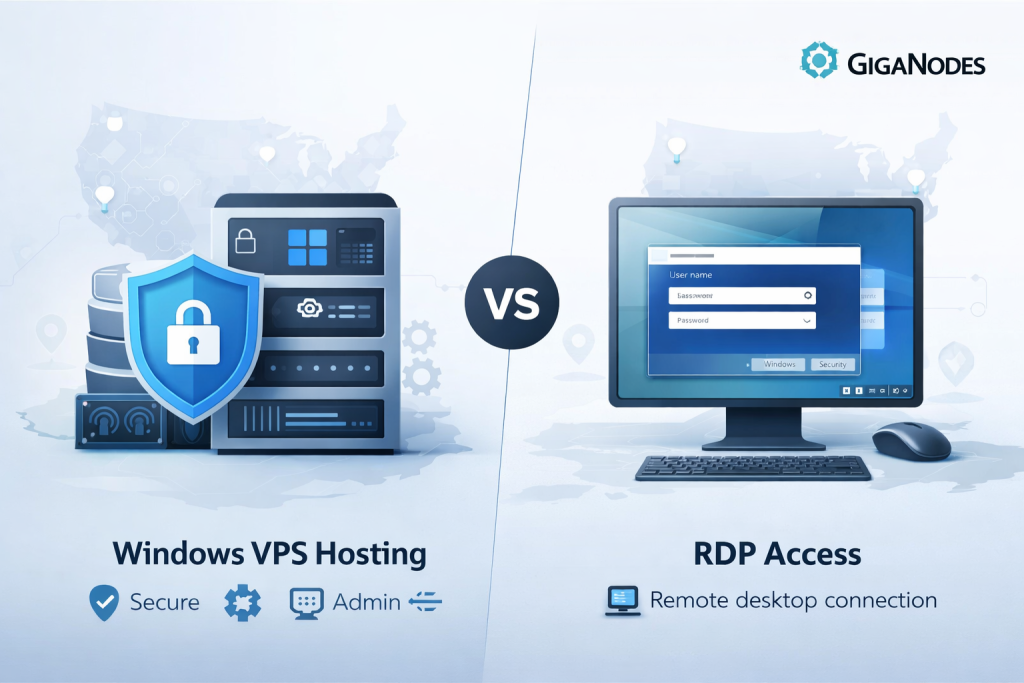
Table of Contents
ToggleIntroduction
Windows VPS Hosting with RDP Access is often confused with basic RDP services, especially by businesses comparing remote infrastructure options in the USA. While both allow remote connections to Windows environments, they differ significantly in terms of control, security, performance, and ownership. Understanding the real difference between Windows VPS hosting and simple RDP access is essential for organizations that require reliable, compliant, and scalable Windows-based infrastructure. This model is commonly referred to as Windows VPS Hosting with RDP access, because administrators manage the server through a secure remote desktop connection with full privileges.
In simple terms, Windows VPS Hosting refers to owning a fully isolated virtual server running Windows, while RDP access is merely a method of connecting to a Windows system remotely. Understanding the difference between these two is essential for companies that care about security, performance, compliance, and long-term scalability.
This article explains the real difference between Windows VPS Hosting vs RDP, clears up common misconceptions, and shows why many businesses choose full admin Windows VPS hosting with RDP access for professional workloads.
What is Windows VPS Hosting?
Windows VPS Hosting provides a complete virtual private server running the Windows operating system. Unlike shared environments, a VPS gives you control that closely mirrors a physical server — without the cost or complexity.
Core Features of Windows VPS Hosting
-
Full Virtual Machine
Your VPS is an independent Windows server with its own operating system instance. -
Dedicated Resources
CPU, RAM, and storage are allocated specifically to your server. Other users cannot consume or affect them. This is one of the key reasons businesses upgrade from shared hosting, as explained in GigaNodes’ guide on why businesses move from shared hosting to VPS hosting. -
Admin-Level Control
With Admin RDP Access, you can install software, configure services, manage users, and apply security policies. -
Custom Software Installation
Run business applications, databases, development environments, or internal tools without restrictions. -
Secure Isolation
Your Windows VPS is sandboxed from other servers, reducing security risks and improving reliability.
For companies evaluating USA Windows VPS Hosting, this level of control is often non-negotiable.
What is RDP Access?
RDP (Remote Desktop Protocol) is a Microsoft technology that allows users to connect to a Windows system over the internet. Importantly, RDP is not a hosting solution — it is simply a remote access method.
Two Common Meanings of RDP Access
Shared RDP Access
Some services sell “RDP access” that places users on a shared Windows server. Admin privileges are usually restricted, and system resources are shared among many users.
Key risks of shared RDP include:
-
No control over installed software
-
Shared IP reputation
-
Increased security exposure
-
Unpredictable performance
-
Potential compliance concerns
This setup is fundamentally different from Secure Windows VPS Hosting and is generally unsuitable for professional business use.
RDP Access to a Windows VPS
In this case, RDP is simply the way you log into your own Windows VPS. You still have full admin control and dedicated resources — RDP is just the interface.
This distinction is central to understanding RDP vs VPS and why the terms should not be used interchangeably.
Key Differences: Windows VPS vs RDP
The table below summarizes the most important differences for business buyers evaluating Windows VPS vs RDP Hosting.
The differences become clearer when comparing shared RDP environments with Windows VPS Hosting with RDP Access designed for professional and enterprise use.
| Feature | Windows VPS Hosting | Shared RDP Access |
|---|---|---|
| Admin Rights | Full admin control | Limited or none |
| Resource Ownership | Dedicated CPU, RAM, storage | Shared resources |
| Security | Strong isolation | Higher exposure |
| Performance | Consistent and predictable | Variable |
| Compliance Readiness | Easier to manage | Difficult |
| Use Cases | Business apps, development, remote teams | Basic remote login |
| Pricing Model | Value-based infrastructure | Low-cost access |
| Business Suitability | High | Low |
For organizations comparing RDP server vs VPS server, this table highlights why VPS hosting is the professional standard.
Which One is Right for You?
Windows VPS Hosting Is Best For
-
Businesses running internal software or client portals
- Businesses that require Windows VPS Hosting with RDP access to securely manage applications, users, and internal systems
-
Developers needing full server control
-
IT administrators managing Windows services remotely
-
Agencies hosting tools for distributed teams
-
Companies requiring Windows VPS for Remote Desktop with privacy and performance
Organizations that expect growth often start with VPS and later evaluate more powerful infrastructure, such as those discussed in GigaNodes’ comparison of top dedicated server hosting providers.
Basic RDP Access May Be Enough For
-
Temporary remote access
-
Non-critical personal tasks
-
Situations where admin rights are not required
For anything involving business data, customer systems, or internal operations, shared RDP environments introduce unnecessary risk.
Why Businesses Prefer Windows VPS Hosting with Admin RDP Access
Businesses consistently choose Full Admin Windows VPS solutions for several reasons:
Security and Privacy
Your data stays within your own isolated environment. You control firewall rules, updates, and security software.
Dedicated IP Address
A dedicated IPv4 address avoids reputation issues commonly associated with shared systems.
Performance and Reliability
With Low Latency Windows VPS deployments, businesses enjoy stable remote desktop performance, especially when hosted close to users in West USA datacenters.
Compliance and Governance
Admin control allows organizations to meet internal IT policies and regulatory requirements more easily.
Operational Flexibility
From scaling resources to installing custom software, VPS hosting adapts as business needs evolve — something shared RDP cannot offer.
Why GigaNodes Is a Strong Choice for Windows VPS Hosting
For organizations planning to Buy Windows VPS USA, GigaNodes focuses on infrastructure built for professional workloads rather than mass shared access.
Key strengths include:
-
West USA Datacenter VPS locations for reduced latency
-
Full Admin RDP Access — not shared sessions
-
Dedicated IPv4 addresses
-
Enterprise-grade DDoS protection
-
High-performance SSD storage
-
24/7 technical support
These features align with what businesses typically look for when evaluating Secure Windows VPS Hosting providers. For buyers comparing options, GigaNodes’ analysis of the best VPS hosting providers in the USA offers additional context on what matters most.
Conclusion
To summarize clearly:
-
Windows VPS Hosting means owning a fully isolated Windows server with admin-level RDP access, dedicated resources, and full control.
-
RDP Access is only a connection method — it may or may not include admin rights, depending on whether it’s linked to a VPS or a shared system.
Windows VPS Hosting with RDP Access provides businesses with a fully isolated Windows server environment, while basic RDP access only offers a method to connect — often without ownership or control.
If you are exploring USA-based Windows VPS hosting, especially in the West USA region, GigaNodes offers a practical, business-ready solution worth evaluating.